
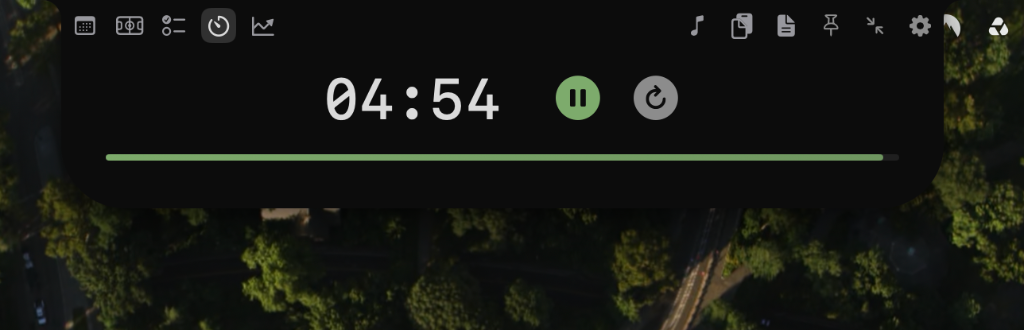
NotchDock’s Timer widget has a Pomodoro mode for alternating focus and break periods. Choose a preset, adjust the cycle in Timer Settings if you want, then use the timer controls in the notch to start, pause, reset, or skip a phase.
Choose a Pomodoro preset
Open the Timer widget, select Pomodoro, and pick a starting preset. The built-in choices set the focus length, break length, and number of cycles:
- Sprint: 15 minutes focus, 3 minutes break, 4 cycles.
- Classic: 25 minutes focus, 5 minutes break, 3 cycles.
- Deep Work: 50 minutes focus, 10 minutes break, 3 cycles.
- Flow: 90 minutes focus, 20 minutes break, 2 cycles.
To customize them, open Timer Settings. The sliders set focus from 1–90 minutes, breaks from 1–30 minutes, and the session from 1–8 cycles. The settings also include Auto-Start Breaks.
Start and control a session
- Select the preset or set your own focus, break, and cycle values.
- Choose Play to begin the focus countdown. Pause it when you need to stop, or Reset to return to the configured starting time.
- During an active Pomodoro session, use Skip to move to the next phase.
What happens when a phase ends?
With Auto-Start Breaks turned off, a completed focus period sounds a chime and pauses with the break ready. Press Play when you want to begin that break. When a break ends, the next focus period loads and waits for you to start it. With Auto-Start Breaks enabled, the break begins automatically after focus completes. The last focus period completes the session; the timer stops at 00:00 and shows a Done control for acknowledging it.
Skipping a phase advances the session. Reset is available if you want to start the configured timer again. The timer does not guarantee uninterrupted focus; it provides a countdown and phase controls.
Quick troubleshooting
- The Timer widget is missing: open NotchDock’s widget settings and make sure Timer is enabled.
- A break did not start on its own: check Auto-Start Breaks in Timer Settings, or press Play when the break is ready.
- The cycle length is not what you expected: reselect a preset or review focus, break, and cycle values in Timer Settings.
Try the Pomodoro timer in NotchDock
NotchDock is free during beta and requires macOS 14 or later.
Download NotchDock for Mac