
NotchDock’s Sports widget lets you browse supported leagues from the Mac notch. Enable a league in Sports Settings, choose it from the widget’s league menu, then use the time tabs to find past, today’s, or upcoming matches.
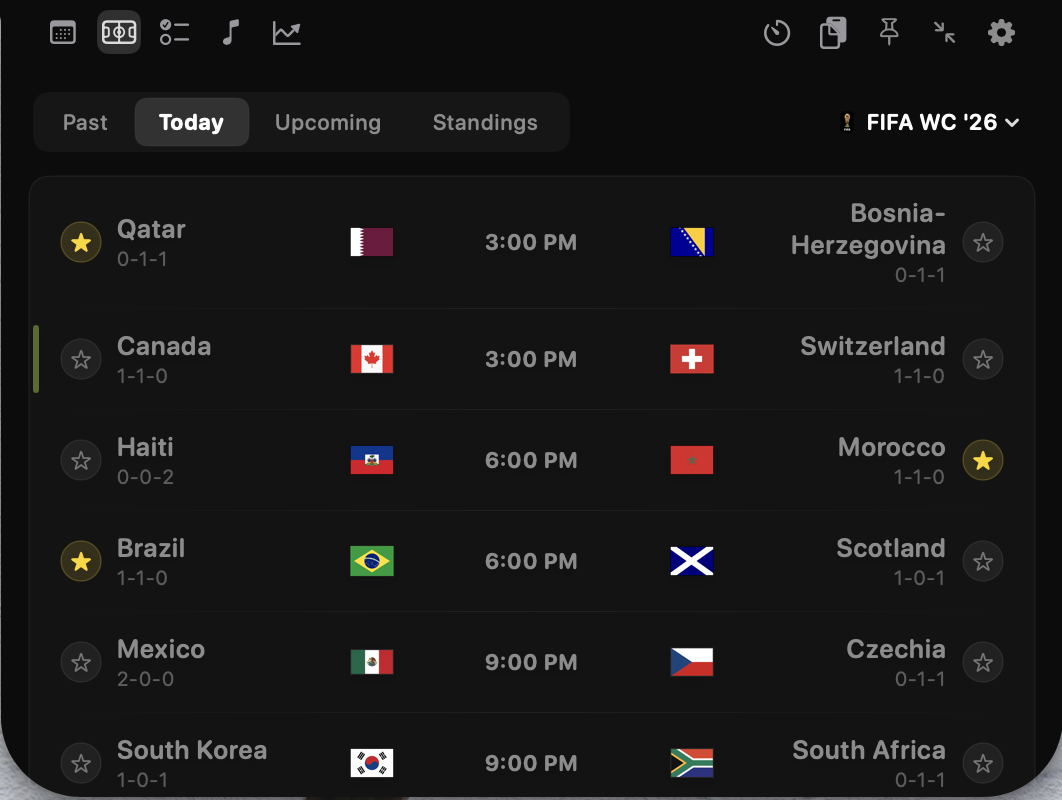
Supported leagues
The current Sports widget supports these ten leagues and competitions:
- NBA, NFL, MLB, and NHL
- English Premier League (EPL) and MLS
- LaLiga and Bundesliga
- FIFA World Cup 2026 and UEFA Champions League
Other sports and competitions may not appear in the league menu.
Enable a league and find a match
- Open Sports Settings and enable the leagues you want to see.
- Open the expanded Sports widget. Use its league menu to choose a league, or choose Favourites to view games involving your starred teams.
- Choose Past, Today, Upcoming, or Standings to change the view.
- Use a star beside a team to add or remove that team from your favourites. For a match that has not finished, open its context menu and choose the pin action to keep it marked.
If you enable the compact notch view in Sports Settings, live matches involving favorite teams or pinned games can appear in that view. The widget’s available matches depend on the league and schedule data it can load.
If no matches appear
The selected time tab may have no matches for that league. Upcoming and past views show an empty-state message when there are no fixtures to list. Check the selected league and tab, confirm the league is enabled, and try again later. The screenshot above is a historical UI example; it is not a live scoreboard or a promise that a current match is available.
Follow a supported match in NotchDock
NotchDock is free during beta and requires macOS 14 or later.
Download NotchDock for Mac