
Coding sessions, within reach
Agent Control for your Mac.
Keep supported coding-agent sessions, usage and status visible from NotchDock’s native Mac surface. Agent Control works across 19 local, desktop, cloud and SSH connectors, with capabilities that vary by provider.
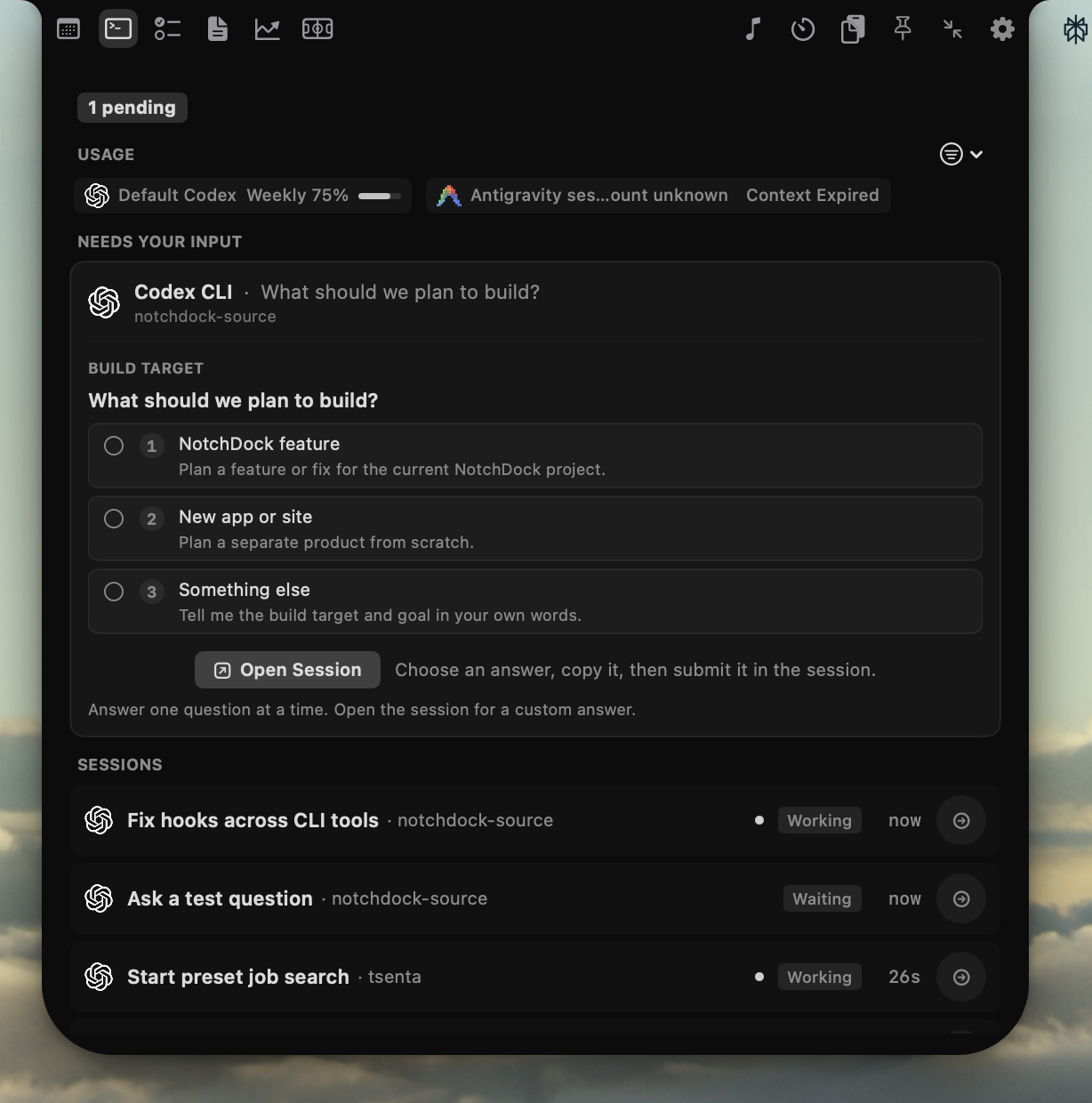
Clear capability labels, by provider
Agent Control makes the difference between native interaction, a safety stop, observation and handoff explicit. The available actions depend on the connected provider.
| Capability | Connectors | What it means |
|---|---|---|
| Native approve / deny | Claude Code, Codex CLI, GitHub Copilot CLI | Native provider request cards. Claude Code also supports question choices and plan review or feedback. |
| Veto-only | Cursor, Gemini CLI | Observe the session and use a safety stop where supported. These are not native approve controls. |
| Observation and handoff | Qwen Code, OpenCode, Amp, Cline, goose, Aider, Google Antigravity, Claude Cowork, Grok CLI, DeepSeek Deep Code | See session state and return to the agent’s terminal or desktop workflow. Antigravity is classified as observational. |
| Remote observation and handoff | Cursor Cloud, Devin, Codex Cloud, SSH Host | Monitor remote runs and open the corresponding web or SSH session where available. These are not native approval integrations. |
Google Antigravity supports verified terminal interaction and question choices, but stays in the observational tier. Terminal control requires explicit opt-in and macOS permissions.
Local monitoring and optional interaction
Local observation reads provider status and activity from supported integrations. Not every provider exposes transcripts or supports controls. For supported terminal choices, the target must be verified and the user must grant the required macOS Automation and Accessibility permissions. If verification fails, the request remains pending and the app reports why.
Remote sessions and handoff
Cursor Cloud, Devin, Codex Cloud and SSH Host support remote monitoring and handoff where available. Cloud sessions can open their web destination; SSH monitoring uses read-only polling and links back to the remote session. Remote process identifiers are not treated as local Mac processes.
Privacy and permissions
NotchDock keeps Agent Control settings and local observations on the Mac. Optional cloud provider credentials are stored in macOS Keychain. SSH polling is non-interactive and read-only. Terminal interaction is opt-in; opening a terminal can request Automation, while sending verified native menu choices also requires Accessibility access. Review each provider’s data handling before connecting it.